


McAlister's Deli
4.74.20K Reviews
App Specs
- Version
- 8.6
- Updated On
- License
- Free
- Downloads
- 1,000,000+
- Developer
- McAlister's Deli
- Categories
- Lifestyle
- Platform
- Android, iOS
Screenshots
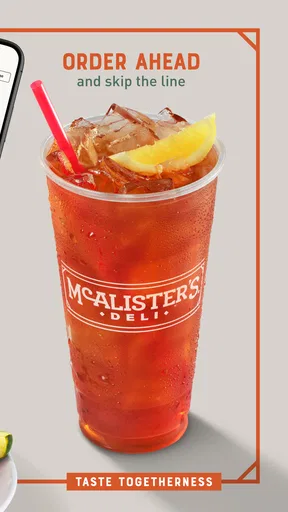

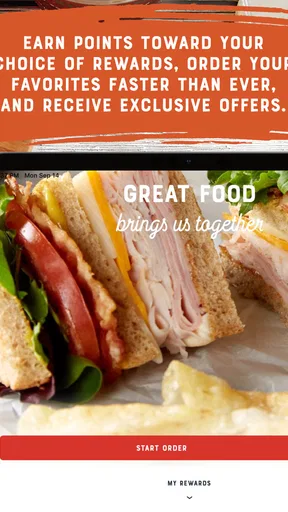
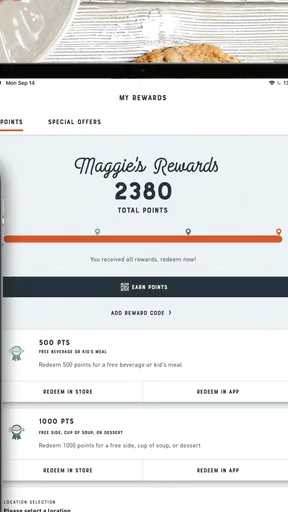
 Analysis by AppCompare
For a first-time order, I’d treat the McAlister's Deli app as a way to plan a meal before you reach the counter, rather than as a general restaurant finder. It is a free lifestyle app from McAlister's Deli, and its focus is the chain’s menu, ordering, and rewards. That makes it most useful when you already know you want McAlister’s or are curious enough to browse its deli-style options.
What to expect before you begin
The app is designed around choosing food and placing an order, not around comparing restaurants across town. If you usually decide between several nearby places, a map or restaurant-discovery app may help you choose where to eat first. Once McAlister’s is your choice, this app gives you a more direct route from menu browsing to checkout.
It is a well-established option: it has more than a million installs and a 4.7 average from around twenty-three thousand ratings. That suggests many people find it useful, though popularity alone cannot guarantee a smooth experience on every device or at every location. It is free to download, and its Everyone age rating makes it broadly accessible.
I would also keep the app’s purpose in perspective. It can make the restaurant’s own ordering routine easier, but it does not change the basic trade-off of ordering from one chain: you get a focused menu and a loyalty experience tied to that restaurant, not the breadth of choices offered by a general food-ordering service.
Getting ready for a first order
After installing it, I’d start by looking through the menu before committing to a meal. That gives you time to compare sandwiches, salads, soups, and spuds without the pressure of deciding while hungry. The app is listed as version 8.5 and requires iOS 11 or later, so it is worth checking compatibility if you plan to use it on an older Apple device.
As you browse, think about what you actually need from the order: a familiar lunch, a meal you can adjust, or something that will be easy to repeat next time. Customization is useful when you already have a preference, but it also makes it easy to spend longer tweaking a meal than you intended. I’d settle on the main item first, then make only the changes that matter to me.
Before checkout, review the order carefully. That small pause is especially helpful if you have customized several items or are ordering for other people. It is easier to catch a missed preference while everything is still on screen than after you have submitted the order.
Worth Reading Before You Choose

EA SPORTS FC Mobile 26 Is a Bigger Football Game, but It Takes Time

Flipboard Shows What News Apps Must Do Beyond the Feed

Switching to Android Auto Means Rethinking Your Driving Routine

Google Calendar Makes a Crowded Week Easier to Manage

Ludo King Makes the Most of the Minutes Between Plans

Baby Panda World Brings Quick Play to Modern Phones, but Its Game Library Feels Busy
A practical first win: build a repeatable lunch
A good first use is a weekday lunch you already know you will want again. Browse the menu, choose a sandwich or another familiar item, make any needed adjustments, and complete the checkout steps. If the Favorites option suits your routine, saving that choice can make a later visit quicker. The useful payoff is not simply placing one order; it is having a reliable starting point for the next time you are short on time.
For example, imagine you have a short break between errands and want to pick up lunch without deciding from scratch. You can browse beforehand, choose your meal at a calmer moment, and then use the app’s ordering flow when you are ready. I’d still check the order details before confirming, especially if I had changed ingredients or was placing an order for someone else. That workflow can reduce decision-making, although it does not eliminate the need to pay attention at checkout.
If you are ordering for a group, use the menu as a planning tool before anyone starts calling out last-minute changes. You can work through each person’s choice and note customizations as you go. This is less about a hidden group-order feature and more about using the app’s menu and customization screens deliberately. It can help keep a shared lunch organized, but a person placing the order should still verify each item before submitting.
Where rewards and saved choices fit
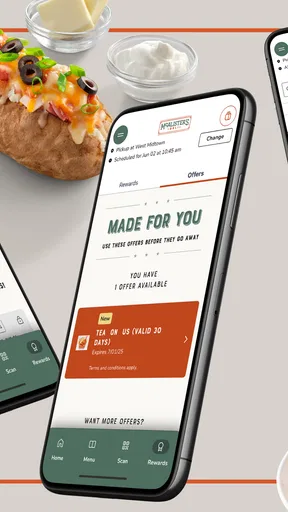
The rewards program is a reason to keep using the app if McAlister’s is already part of your routine. The app presents points and occasional offers alongside ordering, so regular customers can check whether there is a relevant deal before finishing a purchase. I would not make a special trip solely because an offer appears; the value depends on whether you already want the meal and whether the reward fits your plans.
A practical habit is to look at rewards before you build the order, then check again before paying. That keeps an offer from becoming an afterthought and helps you decide whether it changes what you want to order. At the same time, I would avoid adding food just to chase points. A reward is only a benefit when it supports a meal you wanted anyway.
Favorites serve a different purpose. They are most helpful for meals you genuinely repeat, not for every one-off experiment. Saving a dependable lunch can reduce taps and make a rushed reorder less error-prone; keeping a long list of occasional choices may make it harder to find the one you need. If your tastes change often, browsing again may be more useful than relying on saved selections.
Common points of confusion
One thing I would not assume is that a menu description answers every practical question. Pictures and descriptions help you choose, but if you have a dietary concern or need to confirm a particular ingredient, take the time to check the item details and ask the restaurant when necessary. Customization makes an order more personal, but it should not be treated as a substitute for confirming information that matters to your health.
It is also useful to distinguish between placing an order and knowing exactly how it will be fulfilled. The app includes order-status updates, which can help you follow progress, but I would still read the options shown during checkout rather than assume every order works the same way. If timing matters, make the choice that fits the available options on your screen and leave enough flexibility in your schedule.
Payment details can make repeat checkout more convenient, and the app allows details to be saved. That is a choice, not a requirement for deciding whether the menu suits you. If you prefer not to store payment information, you can make that decision based on the options presented during checkout; the trade-off is that future orders may take a little more effort.
Who will get the most from it
I’d recommend it to people who already enjoy McAlister’s, order there often, or like to browse and customize before they arrive. The combination of menu access, ordering, saved favorites, and rewards makes more sense as a repeat-use tool than as an app you install for a single exploratory meal. Its 3.9 thousand reviews also show that people have shared plenty of feedback, although the best test is still whether the ordering flow suits your own habits.
It is less compelling if you rarely eat at McAlister’s, want to compare a wide range of restaurants, or prefer to make every decision in person. In those cases, a general food-ordering or restaurant-search option is likely more flexible. Likewise, anyone who dislikes account-based loyalty routines may find the rewards less important than the straightforward menu and checkout functions.
How it compares with other ways to order
Compared with ordering at the counter, using the app gives you more space to browse and consider customizations before you speak to anyone. That can be welcome when you are unsure what you want or are arranging food for more than one person. The counter may be simpler if you have a quick question or would rather explain a specific request directly.
Compared with a broad delivery marketplace, the app is more focused on McAlister’s own menu and rewards. A marketplace can be more convenient when you are choosing among restaurants or placing several kinds of orders, while a restaurant-specific app is a better fit when you have already made up your mind. I would choose based on the task: discovery across eateries calls for a broader service; a familiar McAlister’s meal is where this app makes the most sense.
My experience with the app
Ever found yourself craving a hearty meal but too cozy at home to venture out? Enter the McAlister's Deli app, your gateway to delicious sandwiches, soups, and spuds right at your fingertips. Let me walk you through my experience with this app, and see if it might just become your go-to for satisfying those deli desires.
First Impressions
The moment I launched the app, I was greeted with a simple, clean interface. It's like walking into a deli where everything is organized and easy to find. The app’s design focuses on functionality, making it a breeze to navigate through the menu. If you're like me and get overwhelmed by cluttered screens, you'll appreciate this straightforward approach.
Exploring the Menu
Browsing through the menu was a delight. The app categorizes everything neatly, from sandwiches and salads to their famous spuds. Each item comes with a mouth-watering description and, more importantly, pictures that could make anyone drool. I found myself lost in deciding between a classic club and the spicy Southwest chicken—tough choices, am I right?
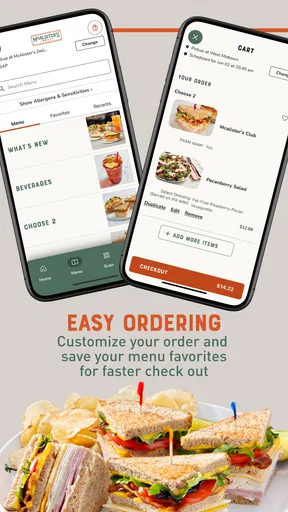
What I particularly liked was the customization options. You can tweak your order just the way you want it. Want extra cheese on that spud? No problem. Prefer your salad without onions? Done. The app empowers you to personalize your meal, ensuring satisfaction with every bite.
Order and Pay
Ordering was a smooth process. The app guides you through each step, and before you know it, you've confirmed your order with a tap. Payment options are varied, and you can even save your details for a faster checkout next time. Plus, the app keeps you updated on your order status, so you're never left wondering when your food will arrive.
Rewards and Deals
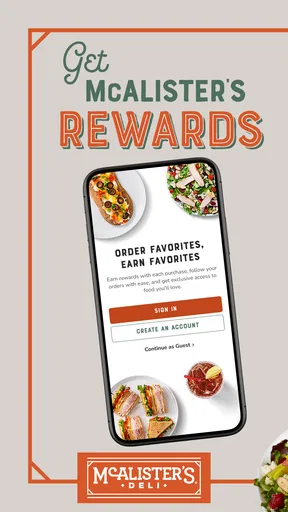
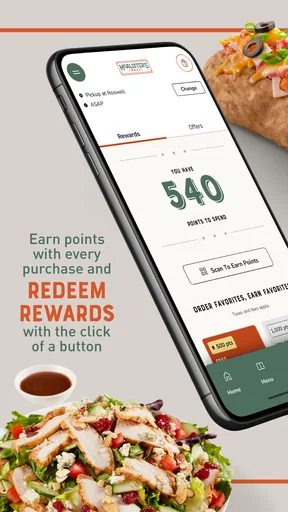
If you're a fan of getting the most bang for your buck, the rewards system will be right up your alley. As you place orders, you accumulate points that can be redeemed for free goodies. Occasionally, the app surprises you with exclusive deals and offers, making it worth checking back regularly. Who doesn’t love a freebie now and then?
User Experience
Overall, the user experience is quite satisfying. The app runs smoothly, with no noticeable lag or crashes during my testing. The developers seem to have focused on making everything intuitive, which is great for those who prefer a hassle-free experience.
One feature that stood out to me was the "Favorites" option. You can save your go-to meals for quick access next time you're in a rush or just want to indulge in your usual. It's small features like these that enhance the overall experience.
Final Thoughts
So, is the app worth downloading? If you enjoy a good deli meal without the fuss of going out, then absolutely. Its user-friendly design, customizable options, and rewarding loyalty program make it a worthy addition to your app collection. Whether you're a regular deli lover or just in need of a convenient meal solution, this app has got you covered.
Next time you're hungry and lounging on your couch, give it a try. I have a feeling you won't be disappointed.
Pros
- User-friendly interface for easy navigation.
- Efficient order tracking system.
- Customizable menu options available.
- Loyalty rewards program for frequent users.
- Quick access to nearby locations.
Cons
- Limited payment options available.
- Occasional app crashes reported.
- Requires internet for full functionality.
- Some users find delivery times inconsistent.
- Push notifications can be overwhelming.
FAQs for McAlister's Deli
What features does the McAlister's Deli app offer?
The McAlister's Deli app provides a convenient way to order your favorite meals for pickup or delivery. It includes features like a customizable menu, exclusive offers, a reward system for earning and redeeming points, and location-based services to find the nearest McAlister's Deli. Users can also save their favorite orders for quick reordering.
How does the rewards system work in the McAlister's Deli app?
The McAlister's Deli app rewards system allows users to earn points with each purchase. These points can be accumulated and redeemed for discounts or free items. To earn points, simply place an order through the app, and the points will be automatically added to your account. Keep an eye on exclusive promotions for bonus points.
Is the McAlister's Deli app available for both Android and iOS devices?
Yes, the McAlister's Deli app is available for both Android and iOS devices. You can download it from the Google Play Store for Android devices or the Apple App Store for iOS devices. Ensure your device meets the app’s system requirements for optimal performance.
Are there any exclusive deals available only through the McAlister's Deli app?
Yes, the McAlister's Deli app offers exclusive deals and promotions that are not available in-store. By using the app, users can access special discounts, limited-time offers, and personalized promotions. Be sure to enable notifications to stay updated on the latest deals directly through the app.
Can I use the McAlister's Deli app to customize my order?
Absolutely! The McAlister's Deli app allows you to fully customize your order. You can select your preferred ingredients, modify portion sizes, and add special instructions to ensure your meal is prepared just the way you like it. This feature enhances the dining experience, catering to individual tastes and dietary needs.


